Cookie preferences

Choose what Trio may use in this browser. You can change your choice anytime under “Cookie preferences” in the footer.

  1. MED management, new reports and more

    News and updates to the Trio product

    Hello! 👋
    At Trio, we’re constantly building improvements to offer our customers the best and most agile financial product.

    So we’d like to keep you up to date on last month’s Internet Banking releases, from September 2025:

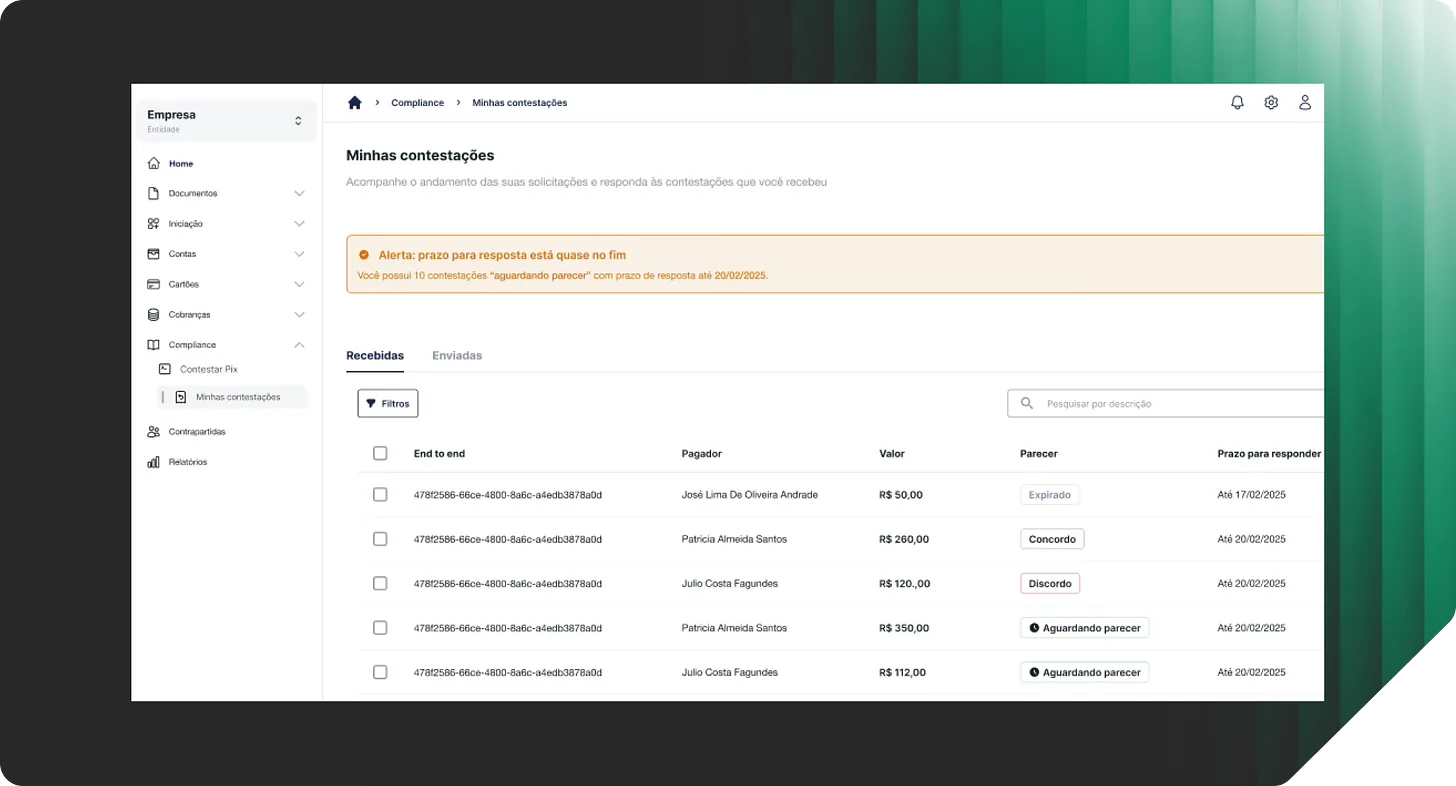
    Managing MEDs (Special Refund Mechanism) through Internet Banking

    The Pix Special Refund Mechanism has a new look that makes things easier for the payer. And what does that mean for Trio’s business customers? Customers can now manage, request, track and respond to a MED directly in Internet Banking, one transaction at a time or in batches. The feature is available from the Compliance > Contestações (Disputes) menu

    Approval flow improvements

    You can now follow a request all the way from submission to final approval. Approvers now receive approval requests in a dedicated space, which improves management and makes the approval flow easier

    Financial reports

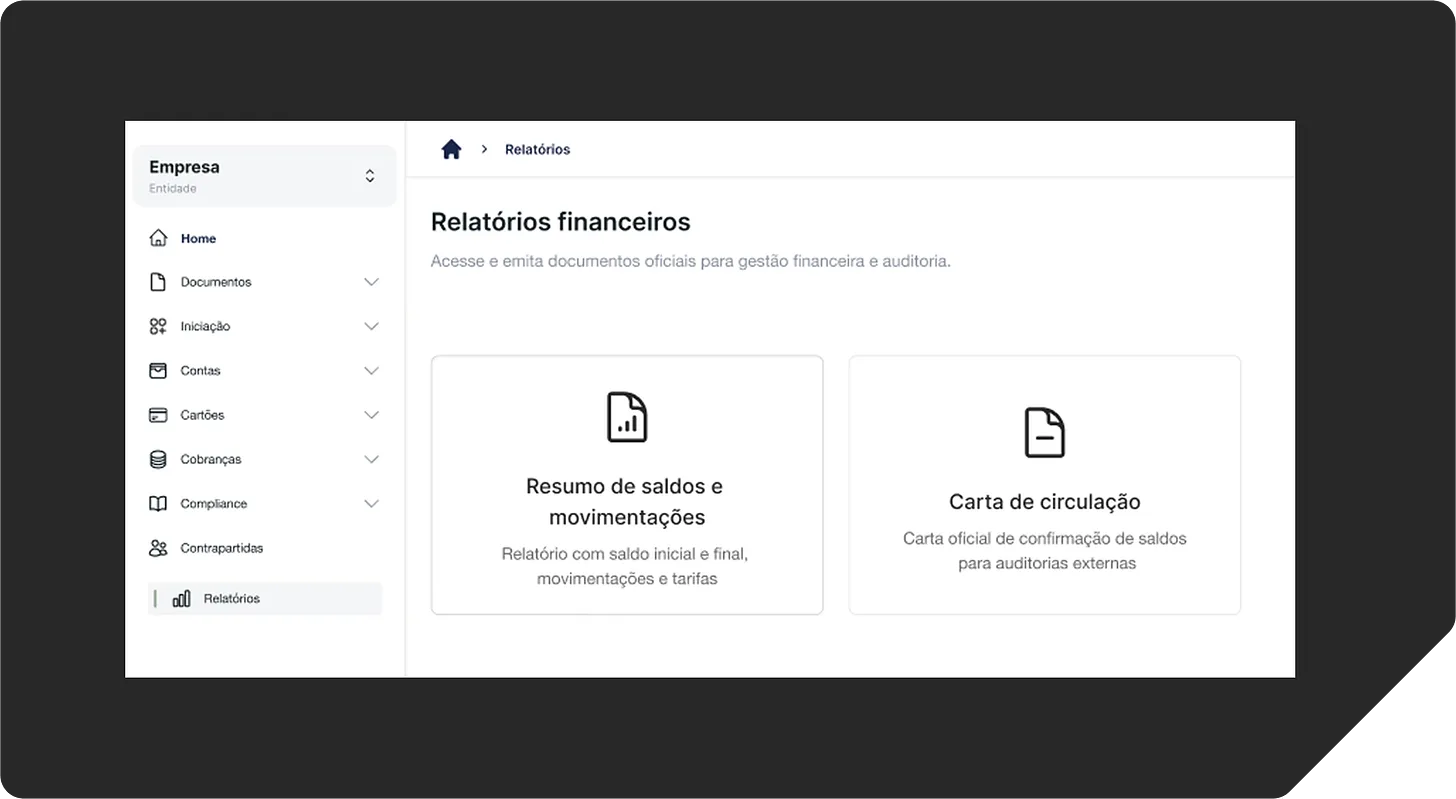
    The new version of Internet Banking includes a new reports menu with 2 export options to support finance teams’ operations. You can also send them straight to your email.
    The reports are:

    • Balance and activity summary: a daily or monthly summary of financial activity
    • Bank confirmation letter (carta de circularização), which confirms the bank balance in the format auditors require
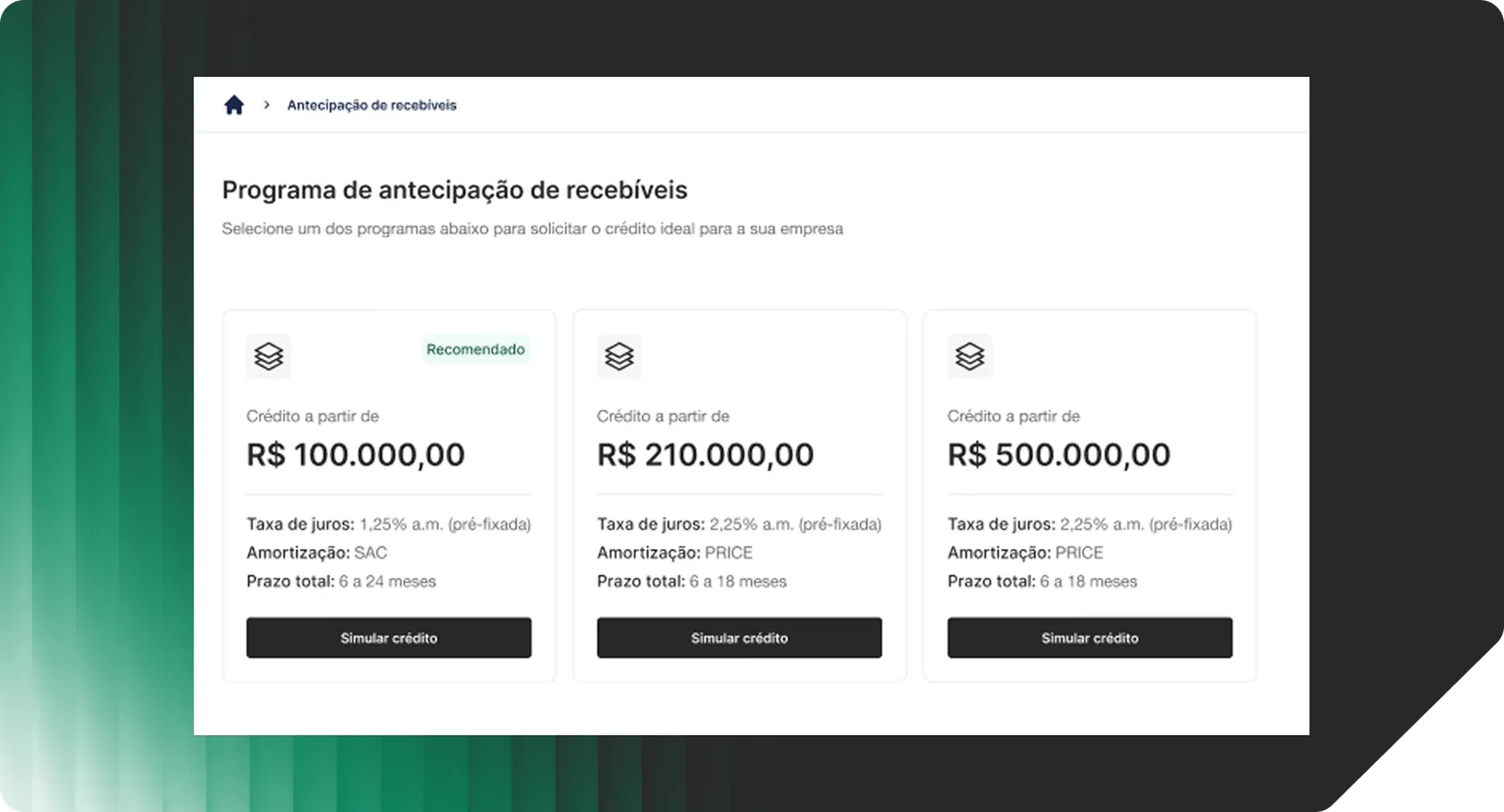
    Instant credit with Receivables Advance

    Nothing could be easier than turning a payment contract into cash right in the Internet Banking console. Register your suppliers and get access to exclusive credit, instantly. Just go to the Receivables Advance area on the Home screen.

    Create account

    Until next time!

    Open this edition
  2. #15

    Recurring Pix API

    Add it to your checkout in just a few hours!

    Hello 👋

    At Trio, we’re committed to advancing payments through Pix, Brazil’s instant payment system and the fastest, most secure and most traceable payment method there is. We know that recurring credit card payments are a pain point for many companies, for many reasons:

    • Highly exposed to fraud;
    • High fees charged by gateways and sub-acquirers;
    • Difficulty processing chargebacks with the card network;
    • Advancing receivables comes with even more fees, and so on.

    Recurring billing via Pix has therefore become a pressing need for many customers, especially in sectors such as e-commerce, education, platforms and monthly subscription services, among others.

    The Pix Automático product (automatic recurring Pix) was launched in June by the Central Bank of Brazil, and only a few institutions offer an API for it.

    The main advantage of Recurring Pix is that, unlike traditional direct debit, it offers more flexibility and control, enabling instant recurring payments that don’t depend on business days or banking hours.

    How does it work for the end customer?

    Formats: Consumers can pay with Recurring Pix in three ways: by scanning a QR code, using the “Pix Copia e Cola” (copy-and-paste code) option or receiving a notification in their bank’s app.

    Rules: After choosing how to activate it, they can set some rules, such as the maximum amount of each payment and whether to authorize the use of an extra limit (such as an overdraft) if there isn’t enough balance in the account.

    Scheduling: From then on, the company sends the charge to its bank a few days before the due date. The payment is scheduled automatically, and the user receives a notification confirming the schedule.

    Cancellation: All information is available in the bank’s app, and if the user disagrees with the charge, they can cancel it until 11:59 PM on the day before the payment.

    Payment: On the due date, the bank makes the automatic debit according to the defined rules.

    What’s more, everything can be managed directly in the bank’s app, with no need to contact the company to change or cancel a payment.

    Ready to get started?

    Talk to our integration team or check the documentation to test in Sandbox:

    Recurrences

    Until next time!
    - The Trio Team
    Open this edition
  3. #14

    Corporate credit cards

    The new feature brings the security of the Mastercard® network to improve your financial management within Internet Banking

    Hello! 👋

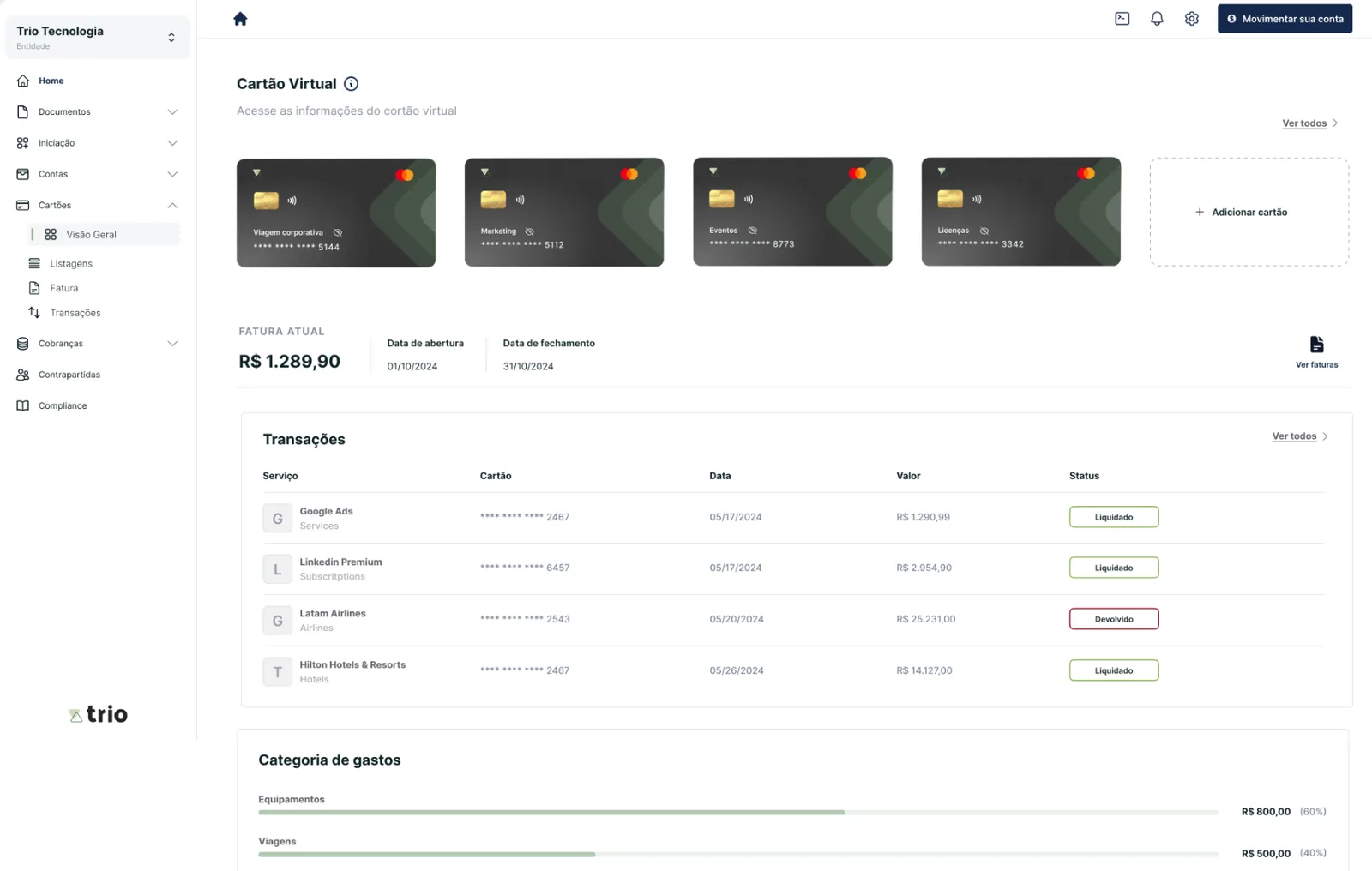
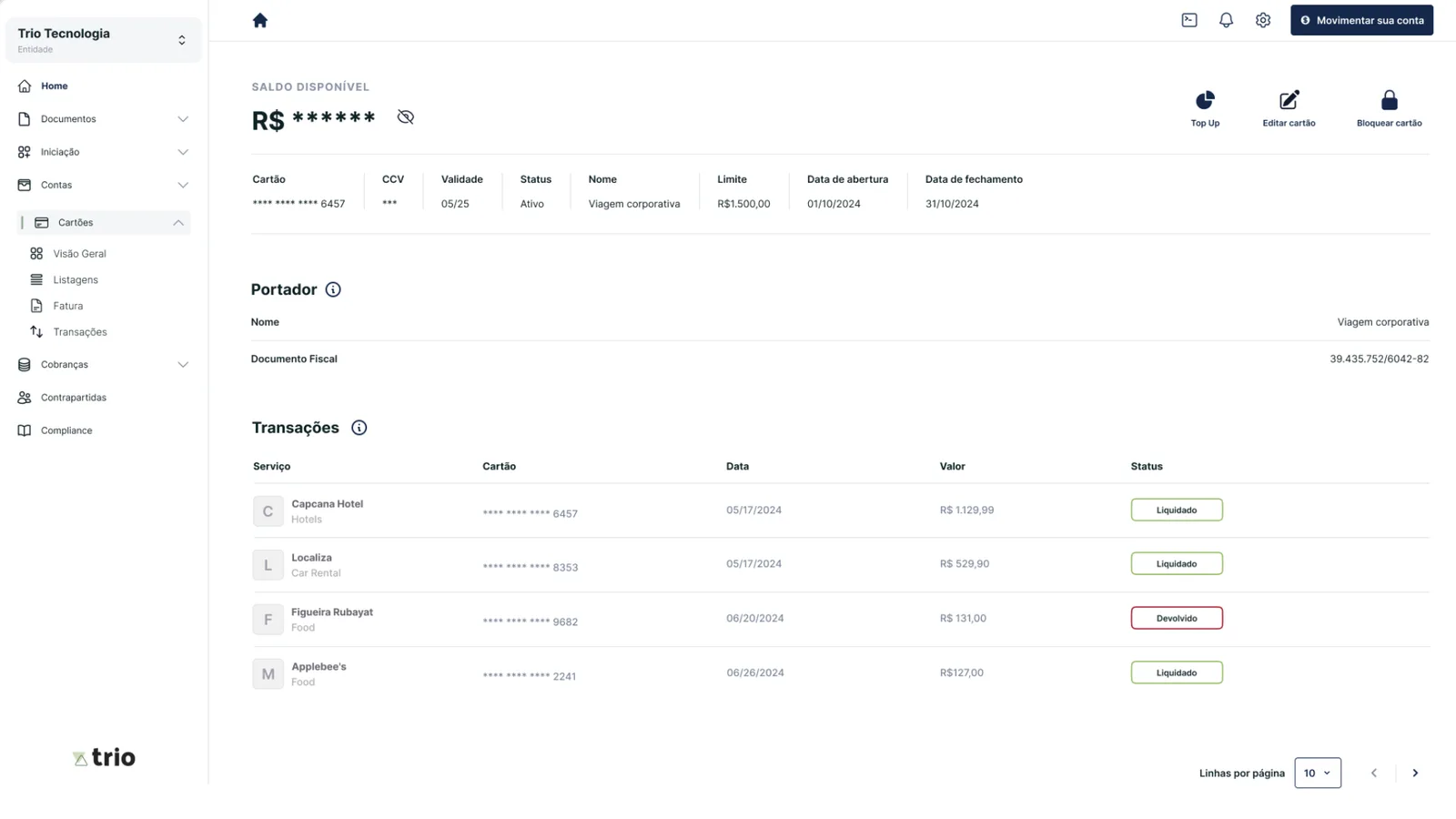
    Trio is moving full steam ahead to bring new features and updates to our product. We’re happy to introduce the new Credit Cards feature as part of our continuous evolution. This new feature lets companies issue digital or physical corporate cards to employees or departments, with the option to top up the balance as needed.

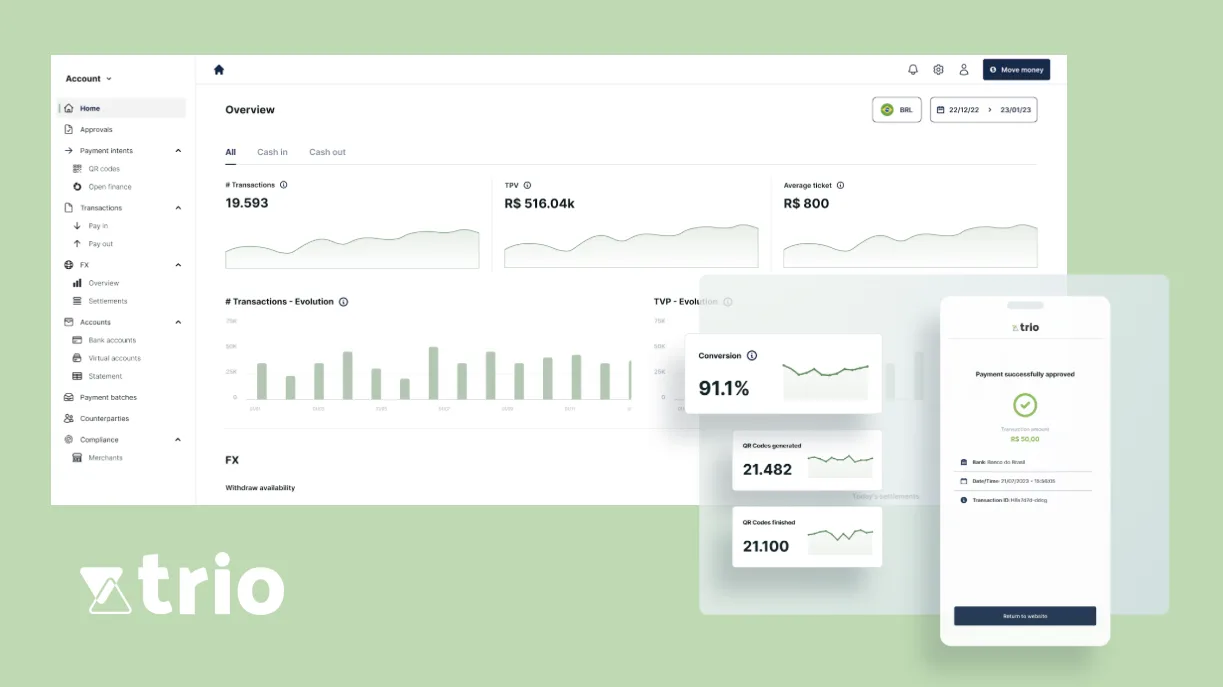
    See how the new feature fits into our dashboard:

    Key benefits:

    1. Simplified expense management: Simplify the way companies manage employee expenses, with control and flexibility through a top-up feature that ensures funds are available only when needed.
    2. Customizable spending limits: Set specific spending limits for each card, for detailed control over company expenses.
    3. Real-time top-ups: Instantly load funds onto the corporate card, so employees have the amounts they need to make transactions when they need them.
    4. Comprehensive reporting: Track and manage card usage through detailed reports that integrate seamlessly with your existing financial workflows, providing transparency and reducing administrative overhead.
    5. Frictionless integration: This feature is integrated into our existing platform, providing a unified experience for companies to manage finances, payments and employee expenses in one place.

    Why have credit cards?

    By adding corporate cards with top-up functionality, we’re enabling your company to manage expenses more effectively using your Trio account balance. That way, you keep full control over how, when and where funds are spent. This is in line with our goal of providing flexible, secure financial solutions that increase efficiency and improve financial oversight for companies of all sizes.

    Split by cost center or cardholder

    Issue cards for each area of the company, or cards for employees’ individual use, always with a preset budget. View transactions in detail.

    Get started!

    This integration is already available in Trio’s Internet Banking: just select the “Cards” tab.

    Questions?

    Until next time!

    Best, the Product team

    Open this edition
  4. #13

    Try customization to help your operation excel

    Add special messages for your users through Pix personalization, plus more from our Engineering and Product teams.

    As payments technology experts, we know that any direct message between seller and user is an opportunity to build better relationships. This is why the proof of payment can be a very important communication channel. The good news is that all Trio customers can now use personalization to imprint their brand’s tone of voice, or even deliver special offers, through this important receipt.

    Better Statements

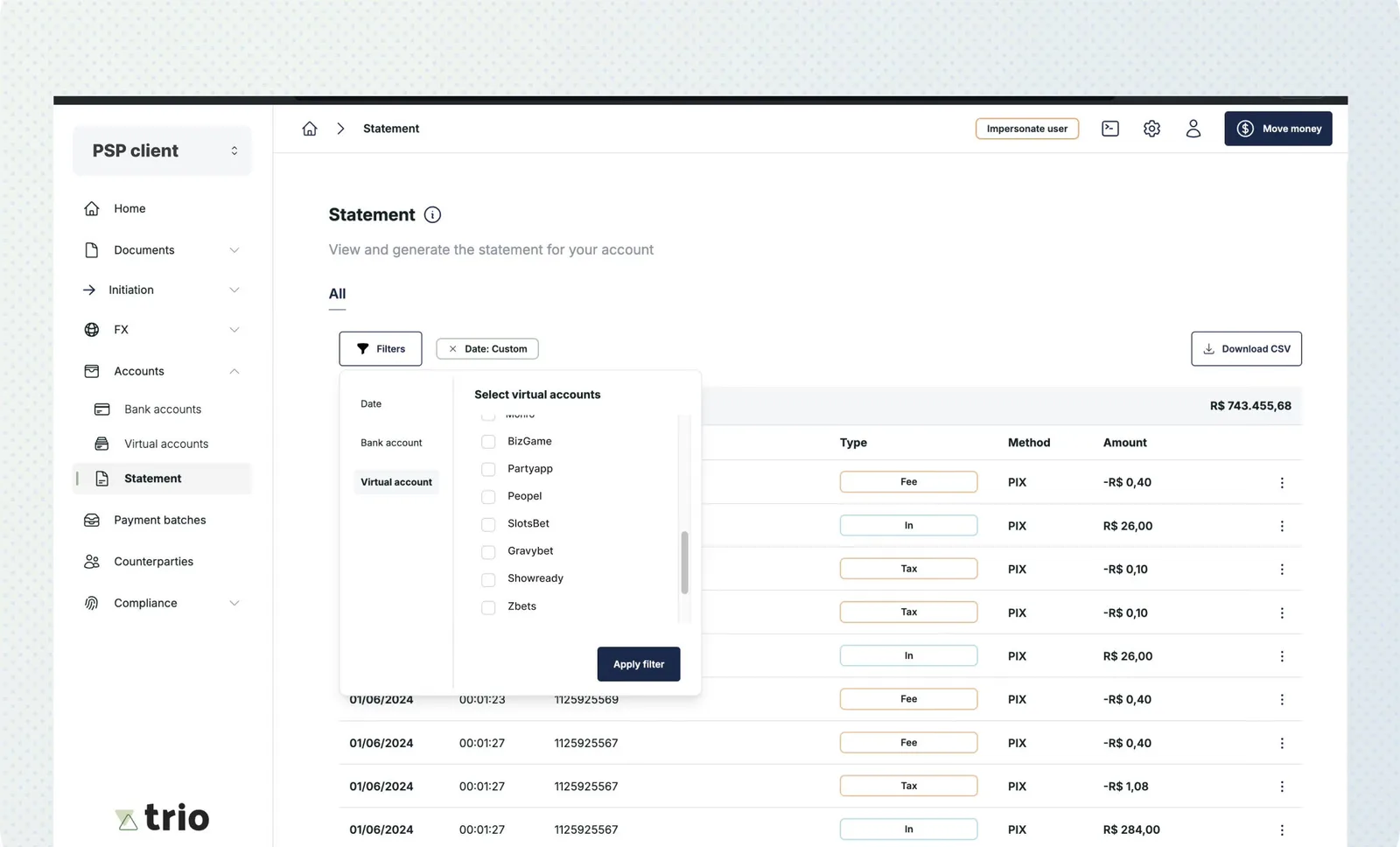
    We’ve added new filters to help you explore and visualize your data.

    Better Communications

    We have included a feature to improve the end user experience. Our customers now receive a notification (webhook) whenever an automatic refund is made.

    This change allows our clients to tell their users why their deposit was returned. This minimizes the risk of an accounting error on our client’s side while also reducing the load on their support service.

    General features and bug fixes

    🧠 Features:

    • Trio API: change qrcode documentation;
    • Trio Console: add virtual account id into filter component, in document screens;
    • Trio Checkout: improving checkout experience outside SDK;
    • Feature: send a summary of the operation when a deposit is refunded due to compliance validation;
    • Feature: changing the create_and_notify to send webhooks list and the new event.

    Create Sandbox Account

    🐛 Fixes:

    • fix(ledger): validate counterparty tax number
    • fix(ledger): prevent error when generate statement csv
    • fix(console): documents screens, when there is no counterparty associated with a reference
    • fix(console): improve tax number validation for qrcode page
    • fix(ledger): refresh ledger transaction minute aggregation before bef…
    • fix(ledger): TPV value calculated with duplicated fee’s amount
    • fix(admin): (Big amount) check if counterparty maximum_amount is nil, in search document screen
    • fix(cashout): update counterparty legal name for transactions initiated to bank accounts
    • fix(console): display an empty state in show documents screens, when counterparty is nil
    • fix(cash_out): search protocol in payment batches
    • fix(ledger): fix bank account branch validation
    • fix(ledger): validate ISPB number when creating a counterparty bank account
    • fix(console): simulate payment for pix keys when it is not a cpf or cnpj
    • fix(cashin): consider failure status of refund documents
    • fix(cashout): send pix message
    • fix(cashout): use cashout v2 for all types of pix keys in sandbox
    • fix(console): display counterparty infos in show initiation document screen
    • fix(admin): update company in redis, when insert default sandbox runtime is called
    • fix(ledger): prevent error when calculate fee and tax in sandbox environment
    • fix(cash_in): counterparty tax number validate method
    • fix(admin): synchronize fitbank statement
    • fix(admin): cron job for fitbank statement sync
    • fix(console): convert map keys to map atoms in stage timeline component
    • fix(sandbox): refund cash out flow
    • Fix(trio_checkout) - Fix checkout callback issues
    • fix(ledger): synchronize fitbank statement for intermediation bank accounts

    Questions? The choice is yours, and both our Merchant Services and Technical Support teams will assist:

    On the Trio website or Console: click the Help Desk icon in the bottom right corner of the screen;

    Via instant messaging: Reach out to us on WhatsApp (+55 41 99626-1785) or Telegram (TrioSupport_Bot) for urgent individual requests;

    Via email: suporte@trio.com.br

    Open this edition
  5. #12

    UX opens new possibilities beyond Copy-Paste Pix

    Because Open Banking will never catch on unless we make it a priority to transform the user experience.
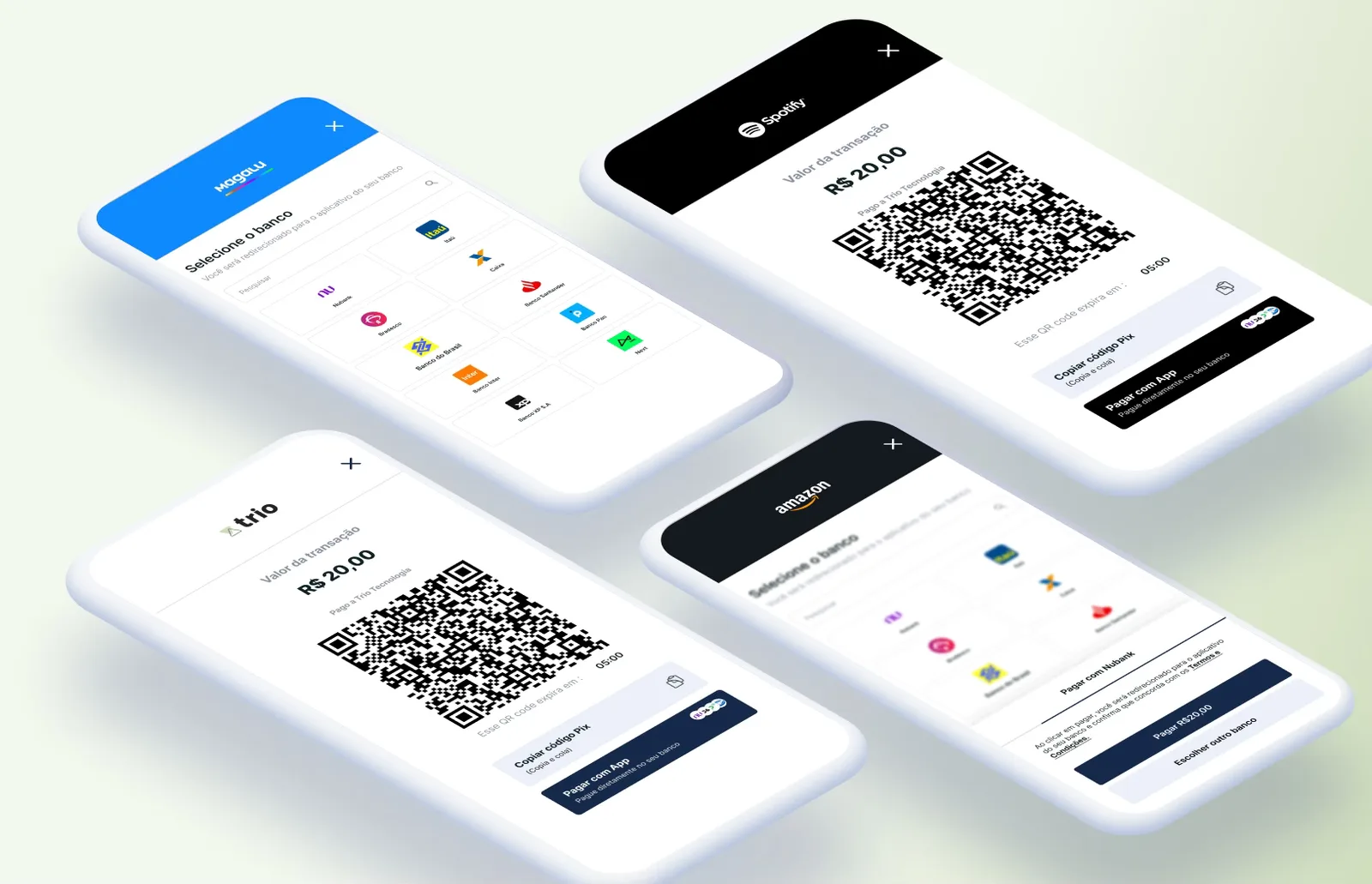
    We’ve got fresh news, right out of the UX oven!

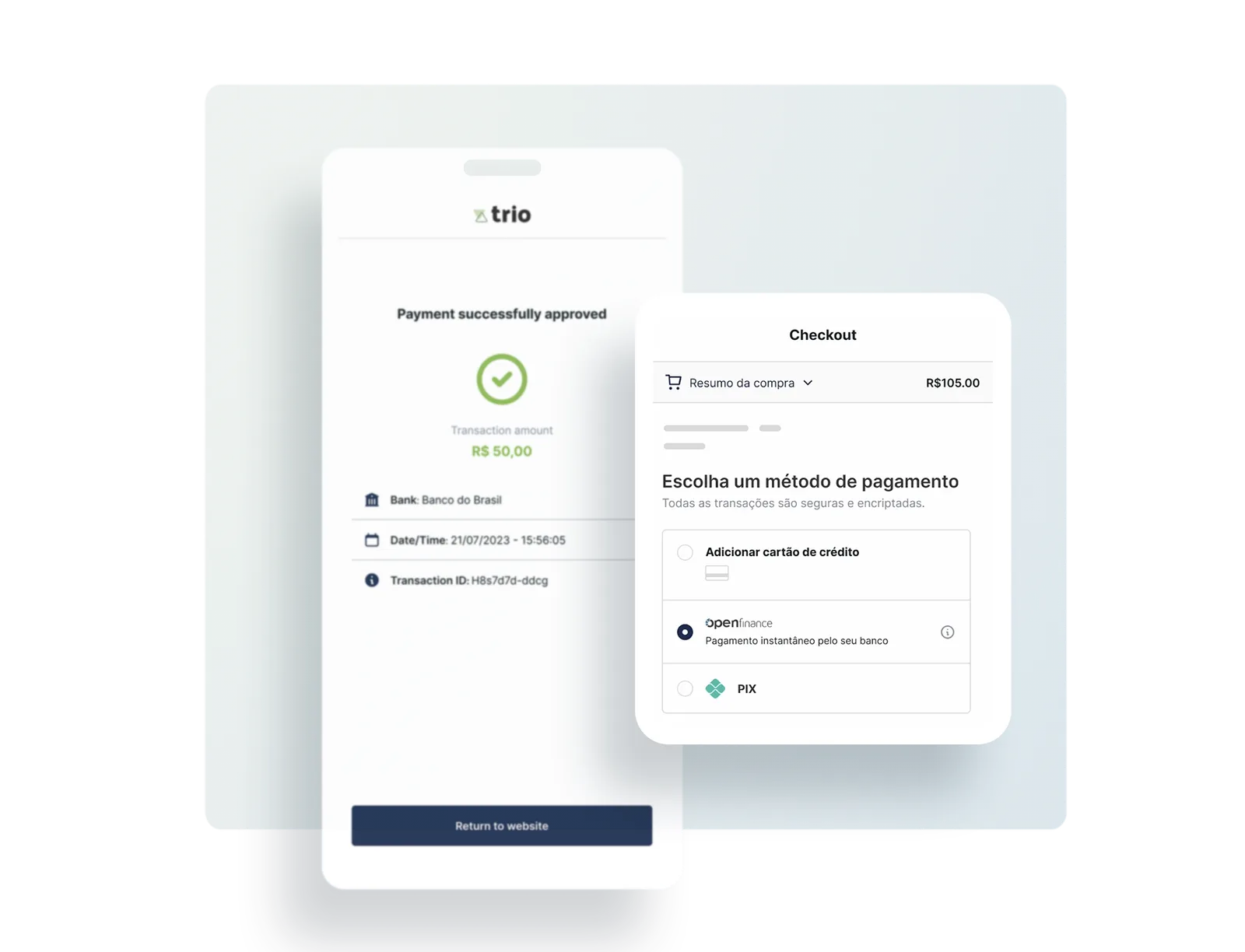
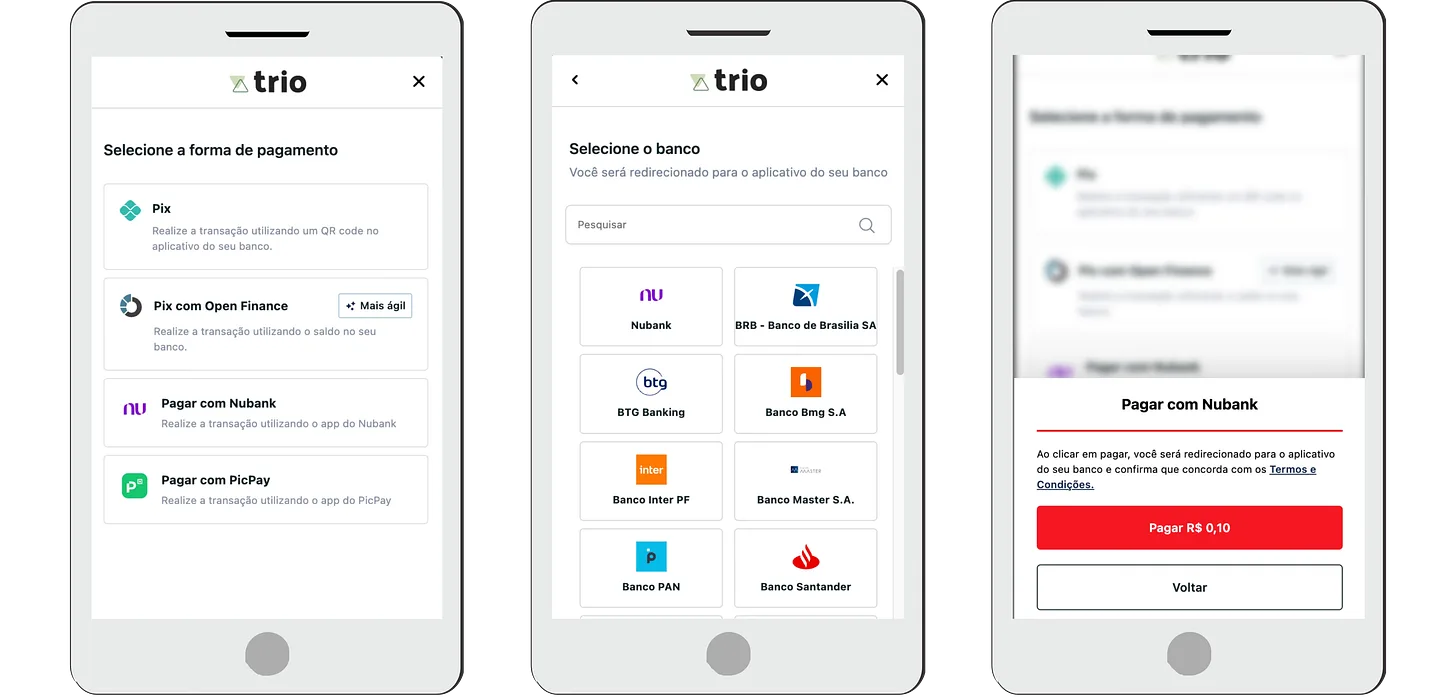
    Maybe you’re new to this, but our Product team is always keen on delivering Open Finance usability without making it about the Open Finance environment. The time has come to deliver our newest ready-to-use SDK, which reduces time and friction in QR code payments.

    Trio Checkout is a tool that allows your users to implement Trio’s payment system in a straightforward manner. By using an SDK embedded in your website, you will be able to offer your clients both Payment Initiation (Open Banking / Open Finance) and the whole PayIn/PayOut processes you already hired from Trio, always handling it with isolated end-to-end security when linking to banks and financial institutions.

    The benefits are numerous. Without much coding needed, all stages of the consent and payment process are managed through Trio Checkout, from credential validation and authentication to error handling and notifications for each payment flow.

    So, Developers: if you’re interested in adding this payment method to your checkout, start by taking a look at our documentation.

    Feel like giving it a try? For a better experience, act as if you’re the end user: use a real CPF (individual tax ID) and go through the entire process on a mobile phone.

    Trio Checkout Demo

    📣 New milestone: 1,500 cashouts in 60 seconds

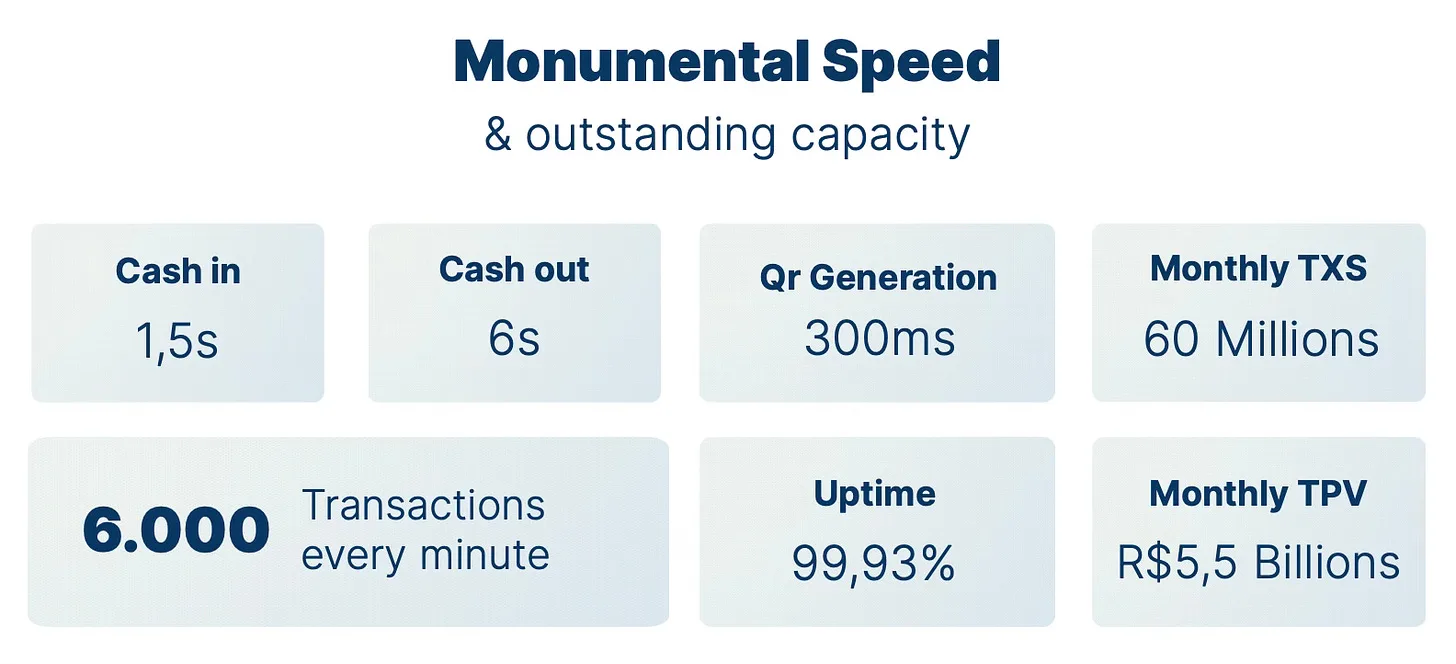
    Especially in the gambling market, payout is a hassle. But only Trio’s cashout management layer keeps fraudsters from attempting multiple withdrawals, which may overload the system and cause temporary interruptions to the cash flow. Developed in early December, V2 of our Cashout has been surpassing every expectation. We are now handling over 6,000 transactions every minute, which is way more than the 30% growth expected by the end of Q2.

    Cashout V2 has delivered tremendous value to our clients, who report their cashout SLA rising from 30% to 85% after integrating.

    More of our numbers (we’re really proud of them):
    General features and bug fixes

    🧠 Features:

    • Trio Console: create financial user roles and apply new role validations in dashboard settings;

    • Trio Console: re-added banking service to Entity Dropdown

    • Trio Console: added TED option for Transferring screen;

    • Trio Console: open new rate rules screen according to the selected tab, adding net amount and shortcuts in documents screens;

    • Trio Console: cash in and cash out simulator for the sandbox environment;

    • Reconciliation: Creating materialized views for integration statement entries;

    • Cashout: add TED payment method to Payouts.

    • Security: Add entity id in events and webhooks, so that the entity can only receive the events allowed for it.

      Create Sandbox Account

    🐛 Fixes:

    • fix(web): prevent cache error for pix with bank_account reference
    • fix(cashin): increase the datetime range for identification of initiation document
    • fix(cashin): increase to 12h the datetime range for identification of initiation document
    • fix(trio): prevent deadlock when enqueue event creation
    • fix(console): changed Sandbox main page from root to /tutorials
    • fix(console): added initial usability improvements
    • fix(console): corrected Counterparty fallback in PaymentBatch line editing
    • fix(adm): create cash out failed event
    • fix(cashin): increase cash in queue execution limit
    • fix: added legal_name to Counterparty OpenAPI helper schema
    • hotfix(sandbox): corrected error message for Settled stage in CashOut
    • fix(cashout): fix blocked bank list validation
    • fix(cash_out): correction for automatic confirmation of Pix Keys in Sandbox
    • fix(cashin): prevent performance issues when generating refunds
    • Fix(Reconciliation): removing the crontab entry for synchronize
    • fix(webhook): prevent error when receive a cash out refund from Aarin
    • fix(console): Transfer screen receive all PubSub payment document events
    • fix(ledger): corrected validation for younger than 18
    • fix(cashout): prevent error in cache validation for multiple cashouts v1 for bank account
    • fix(EFX): improving error treatment when creating new rates based on old ones
    • fix(ledger): increase the capacity of monetary fields
    • fix(cashin): prevent performance issues when generating refunds
    • fix(console): improving the response time of pages displaying documents details
    • fix(console): Remove tax number search option in refund screens, and remove join clause in list pipelines
    • fix(sandbox): corrected simulation of pix key payments in TrioConsole.TutorialLive
    • fix(console): added timeout retry for PixKey simulations in Sandbox
    • hot fix(console): corrected Sandbox generate cashout simulation for PixKey case handling
    • fix(console): corrected user invitation task in TrioConsole settings
    • fix(console): added another fallback to Sandbox Pix Key payment tax number
    • fix(sec): update dependencies
    • fix(cash_out): corrected ref value not being updated in PaymentBatch.Line
    • hotfix(console): corrected InitiationDocument detail page breaking with rejected stage
    • fix(console): corrected usability of Home page
    • fix(ledger): query virtual account balance on replica
    • fix(cash in/out): document stages with same document transaction date

    💬 Need help? We’re here for you!

    The choice is yours, and both our Merchant Services and Technical Support teams will assist:
    Via instant messaging: Reach out to us on WhatsApp (+55 41 99626-1785) or Telegram (TrioSupport_Bot) for urgent individual requests;

    On the Trio website or Console: click the Help Desk icon in the bottom right corner of the screen;

    Via email: suporte@trio.com.br


    Thanks for keeping up with us!

    See you next time! 👋
    Open this edition
  6. #11

    Diving into Trio Sandbox to maximize your usage

    Get the most out of ledger and banking services by learning how to handle every part of the product. Let's go?

    Trio Sandbox is a free testing platform for anyone who wants to run simulations before releasing the payment method to customers. It’s mostly used by clients while integrating, but it can also be a game changer when deciding which banking institutions you’re going to rely on for your payments in Brazil. See the main benefits of using it:

    • Test integrations: simulate payment operations, transfers and other features without affecting your production account;
    • Validate the interaction process: make sure your system works correctly before going live;
    • Experiment in a safe environment: use mock data in test mode, without the risk of compromising real or financial data.

    The first step to accessing the environment is having a Trio Sandbox account. If you don’t have one yet, click here and open yours, for free.

    With the account created, simply access the Sandbox and log in using your email and password. Then you can start by trying these processes:

    • Add your teammates to show them what’s most important, and what different types of users can access;
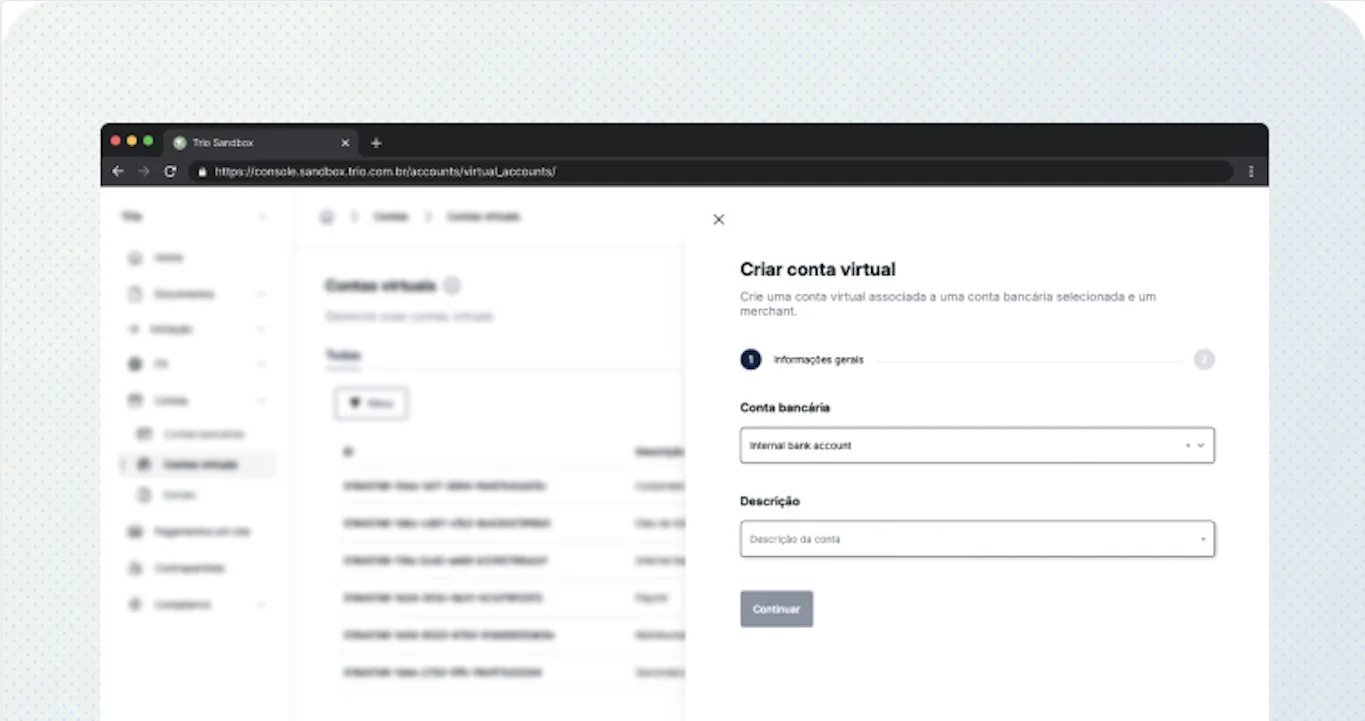
    • See how easy it is to create your first Virtual Account and move money to and from it;
    • Generate a payout batch and understand how paychecks and bulk payments can leave your organization more efficiently;
    • Get a glimpse of the view you can have using Trio for Foreign Exchange;
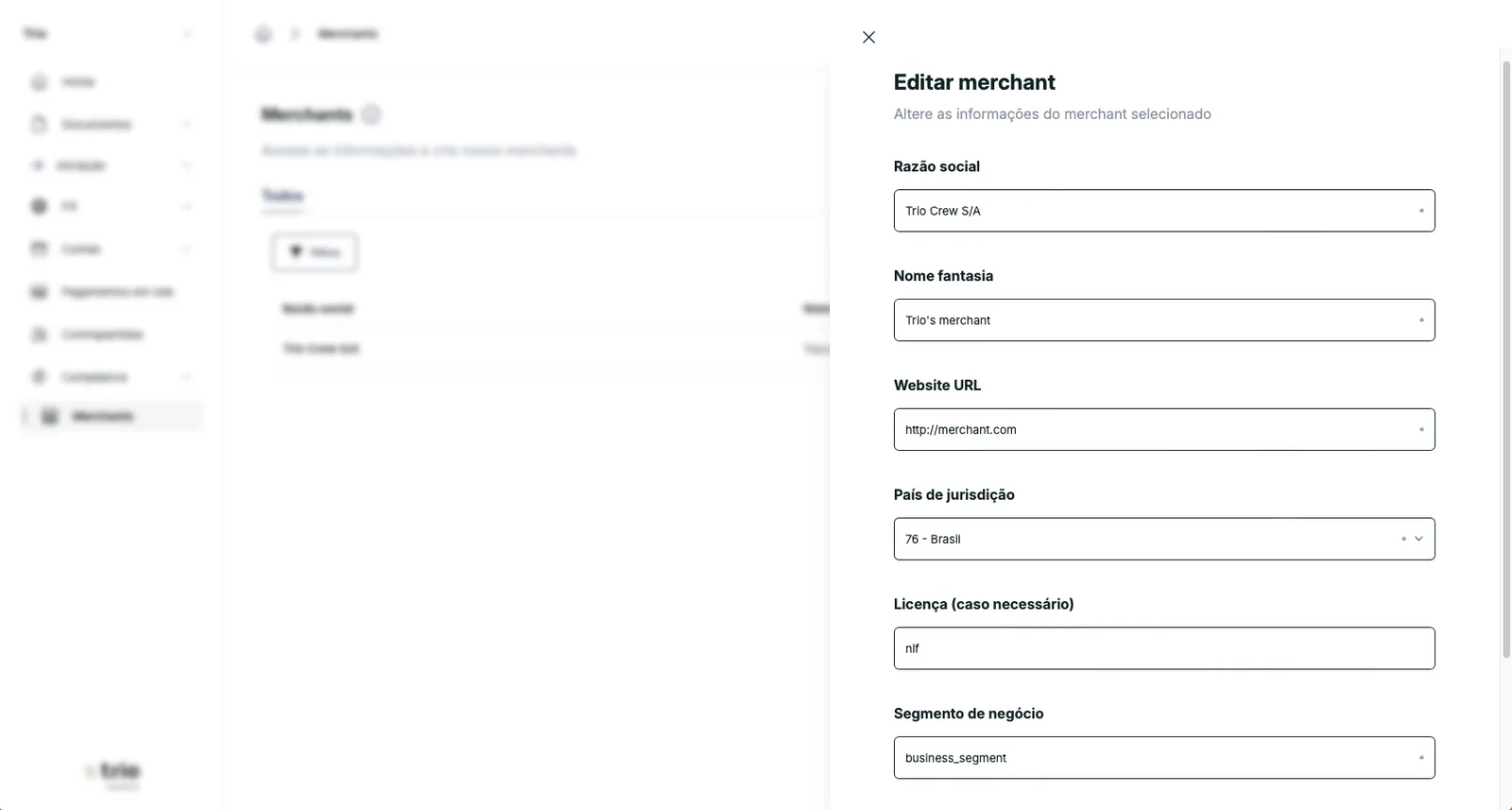
    • Get the full experience of submitting a new merchant for compliance analysis;

    If you have any questions, you can also access the available technical documentation.

    General features and bug fixes

    🧠 Features:

    • (reconciliation): new interface and process to fix the entries with document_status_error;
    • (admin): create generate report csv screen;
    • (cash-in): consolidate intermediation companies into a single SPB bank account;
    • (console): remove update limits when entity is intermediation;
    • (cashin): ignore cashin from investment entity;
    • (admin): created page for event batch renotification;
    • (console): added fee visualization for regular virtual accounts.

    🐛 Fixes:

    • (api): remove qrcode generation cache by tax number;
    • (console): improve documents details page performance;
    • (console): add convert timezone datetime in home screen test;
    • (Reconciliation): refactoring the way to find refund documents;
    • (cashin): retry cash in refund with new document for each attempt.

    That’s all for now!

    Questions and suggestions? Please comment below or send us an email at suporte@trio.com.br

    Thanks for reading!
    See you soon!

    Open this edition
  7. #10

    New Console views for operators, detailed information for each transaction and more

    Check out our new features

    Hi everyone!

    Our product and engineering teams have some news for you. Stay up to date:

    🆕 New Console views for operators

    Our team developed a new Console view that shows everything the operator needs to provide support and verify the ongoing operation, with no risk of changing a transaction by mistake.

    🆕 Transactions Detailed Information

    Our clients can now experience several upgrades and fixes in Trio’s Console. One highlight is the view of the accounting transactions for each document.

    With these views, customers can see each transaction’s fees and taxes in the finest detail.

    General features and bug fixes

    🧠 Features:

    • (trio_checkout): simplify and prevent errors in qr codes generation by creating a url shortener;
    • (statement): generation of asynchronous ledger statements with notifications through emails;
    • (console): create moving money for external accounts screen;
    • (reconciliation): adding a form to go straight to bank account overview;
    • (console): default entity;
    • (cash in): automatic refund for invalid tax number;
    • (console): create refund list screen;
    • (ledger): track origin of transactions;
    • add oauth authentication method.

    🐛 Fixes:

    • (reconciliation): create cashout refund document when the transaction date is between 00:00 and 03:00 GMT;
    • (ledger): consider tax refund when validating balance;
    • (cashout): process revert back for a payment document in retry;
    • (reconciliation): fix for an error when converting to_datetime to iso8601;
    • (reconciliation): adding a check for payment_documents with status (failed, reversed or refunded);
    • (reconciliation): fix multiple agendas in a batch;
    • (reconciliation): decreasing the date range for normal documents to 10 minutes;
    • (console): refactor virtual account configuration labels to be easier to understand.

    Thanks for reading!
    ’Til next time :)

    Open this edition
  8. #9

    Charge and cashout made better

    With our latest releases, customers can add funds even faster and get a fraud-proof, always-available cashout process.

    Hello everyone, how’ve you been?

    It’s been a busy month here, with essential changes to our product that aim to provide a faster and safer payment experience to our customers.

    As usual, all improvements are also listed in our Documentation.

    New Features

    🆕 Open Finance Checkout

    Our Open Finance payment interface now runs faster and takes the user through fewer steps, improving the user experience and raising conversion rates.

    🆕 Cashout V2

    Focusing on a safer money withdrawal system, Trio has developed a better way to manage the buckets of our customers’ bank accounts with an Enhanced Cashout Experience.

    Find out more here: Trio Cashout V2

    General features and bug fixes

    🧠 Features:

    • (API) distinct error code and status for duplicate external id #1429
    • (ledger/calculate fee): specify when to refund fees #1416
    • (cash in): automatic retry for cash in refund failure #1413
    • (reconciliation): new enqueue reconciliation process #1415
    • (console): moving money into virtual accounts screen #1371
    • (console) added end_to_end_id validation in document consultations #1366
    • (api): list ledger transactions with account type #1425

    🐛 Fixes:

    • create qrcode with expiration date/time second precision #1433
    • (cashout/payment-batch): prevent errors in the process of copying batch lines when the line has no fees #1421
    • docs (api): fix cash out v2 documentation path
    • hotfix: added check for duplicate tax number in QRCode controller
    • improving the order of bank accounts on the reconciliation and integration download interfaces
    • (console/responsive): table row details not overflowing correctly when clicked on mobile devices
    • (checkout): errors when initiation document date is not found
    • (e-fx): remittance
    • hotfix (console): graphs
    • (api) search entries
    • (api) calculate tax with round half up rule
    • (reconciliation): create cashout refund document when transaction date is between 00:00 and 03:00 GMT
    • (reconciliation): fix for an error when the payer is null in a CreditPixIn
    • (operations): differentiate json log messages by type

    Thanks for reading!
    ’Til next time :)

    Open this edition