New Internet Banking dashboard
Fewer clicks, more decisions: Trio's Internet Banking dashboard has changed.
Hello!
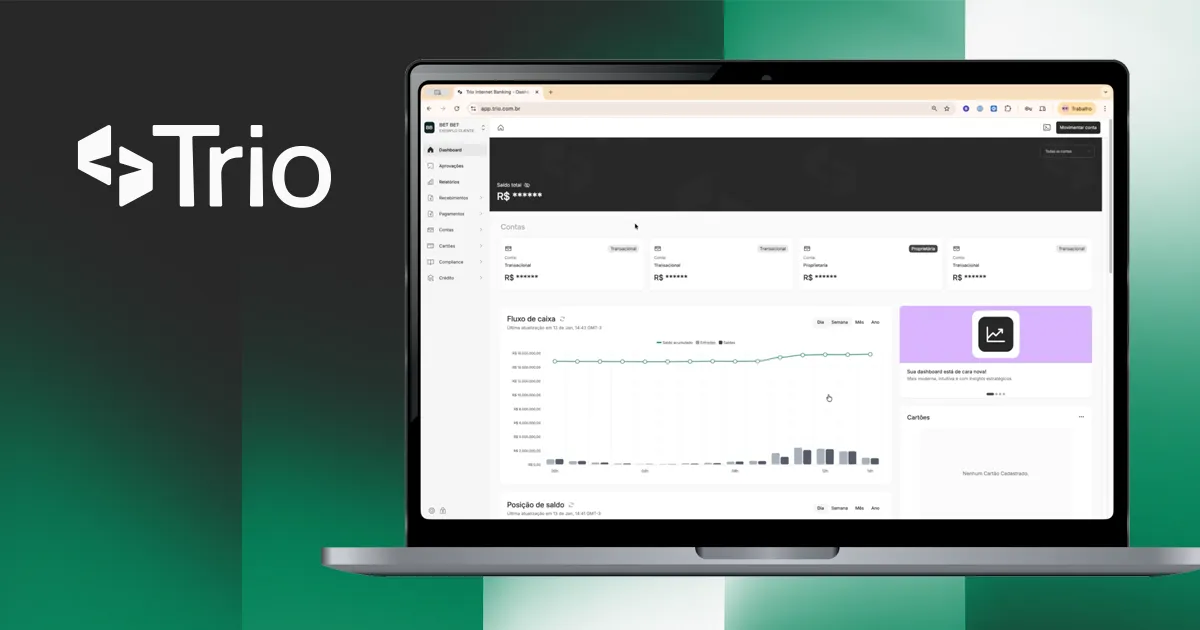
Trio’s Internet Banking has a new dashboard, and the change goes far beyond looks. We’ve moved from a standard transactional interface to an insight-driven dashboard, where the most important information about your operation shows up right away, without navigating between multiple screens.
The goal: fewer clicks, more clarity, faster decisions.
Accounts area
As soon as you open Internet Banking, you’ll find a consolidated view of balances, cash flow and positions by account. Each account shows its individual balance, and a chart breaks down inflows, outflows and cumulative balance, with filters by day, week, month and year.
You can view a specific account or all of them at once. Your selection applies to every chart on the dashboard.
When getting started, customers can select which account they want to view individually in the charts, or choose to view all of them at once, combining the data shown.
It’s important to note that the account selection affects every view.
Transactions area
An interactive chart consolidates withdrawal, deposit and refund volumes, with the same period filters. All in one place.
Operations area
Four cards show your operation’s latency metrics in real time:
- Average QR code generation time
- Average QR code payment time
- Average deposit notification time
- Average withdrawal notification time
The section is rounded out by a conversion rate chart and a table of third-party bank outages in the selected period.
Side menu improvements
Two important changes. First, a dedicated approvals tab, bringing pending items and completed processes together in one place to make control and auditing easier.
Second, the documents tab has been split into incoming payments (cash-in) and outgoing payments (cash-out), so you can view each flow separately with its transactions and receipts.
Other updates
New feature: digitized signatures on the bank confirmation letter report.
Bug fixes: escrow accounts removed from transfer screens · timezone corrected to America/São_Paulo in charts · external ID added to the MEMO field in the OFX statement · internal transfers included in the OFX statement · cashback type mapped in the balances report · permissions reviewed for editing the finance email and disputing Pix transactions · audit trail improvements · error message for phone authentication in the sandbox.
We hope you enjoy the new features!
Until next time,
The Trio Team.