A read-only panel for support, and the v2 API is live
The Operations Panel gives your support team a separate, read-only environment with everything it needs to validate a transaction without account access. And the v2 API goes live, with company onboarding by API.
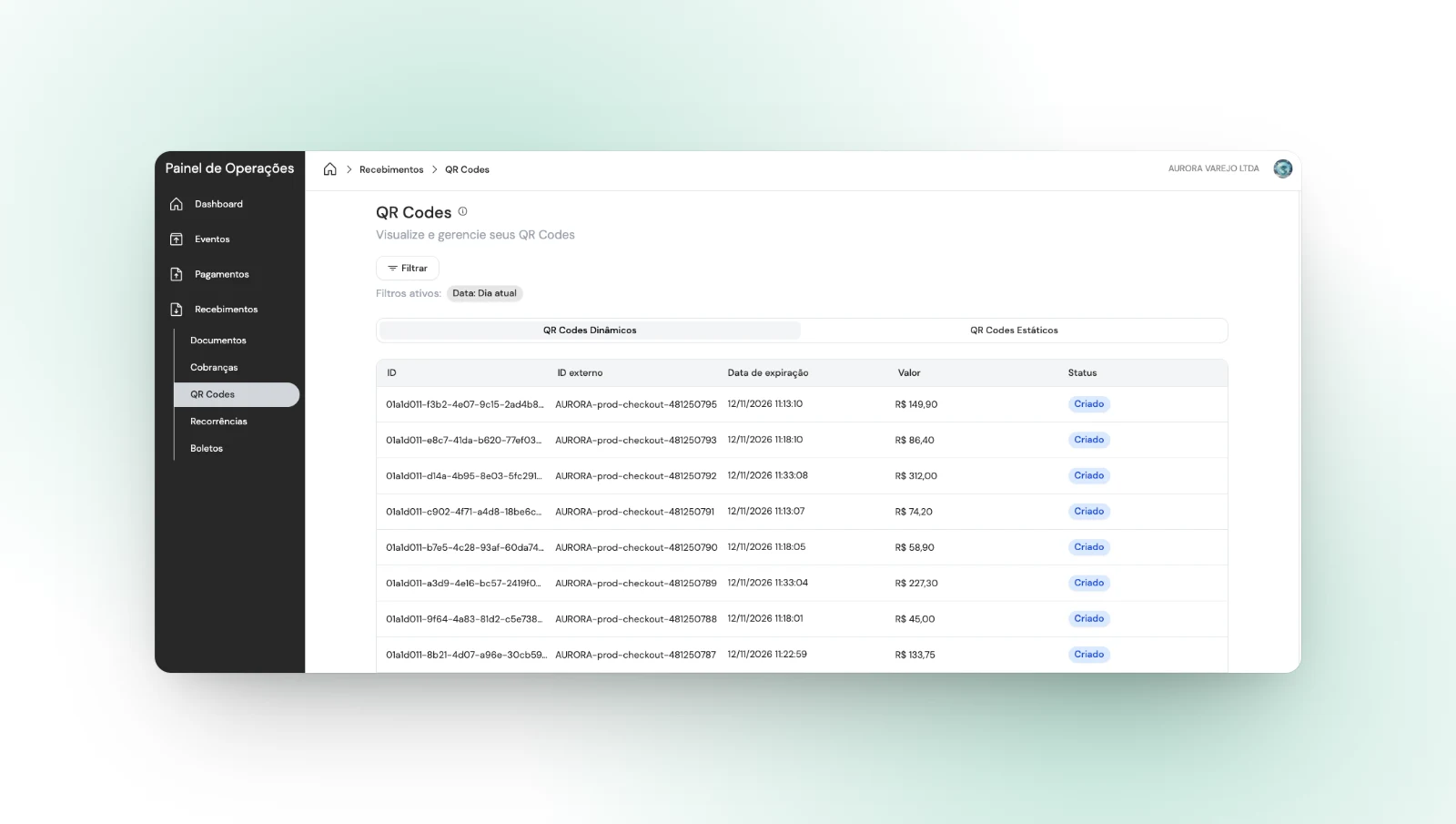
Your support team can now validate any transaction without entering the company’s account.
Hello, we have news for your operation!
This update covers two fronts. The first is the Operations Panel, an environment separate from Internet Banking, read-only, where whoever answers your customer finds everything needed to validate a transaction without being given access to the account. The second is the v2 API, a new version of our API, with company onboarding by API as the headline.
Here are the details:
1. Operations Panel: answering a question no longer needs account access
Until now, checking whether a payment went out, whether money came in or where a transaction stalled meant opening Internet Banking. That meant handing someone on support an access that moves money, to settle a question that only needs reading.
The Operations Panel separates the two. It lives at its own address, operations.trio.com.br, with its own login, and it performs no operations: it does not transfer, approve, cancel or change any record.
For your business, that is separation of duties in practice: the access of whoever checks is no longer the same as the access of whoever moves money.
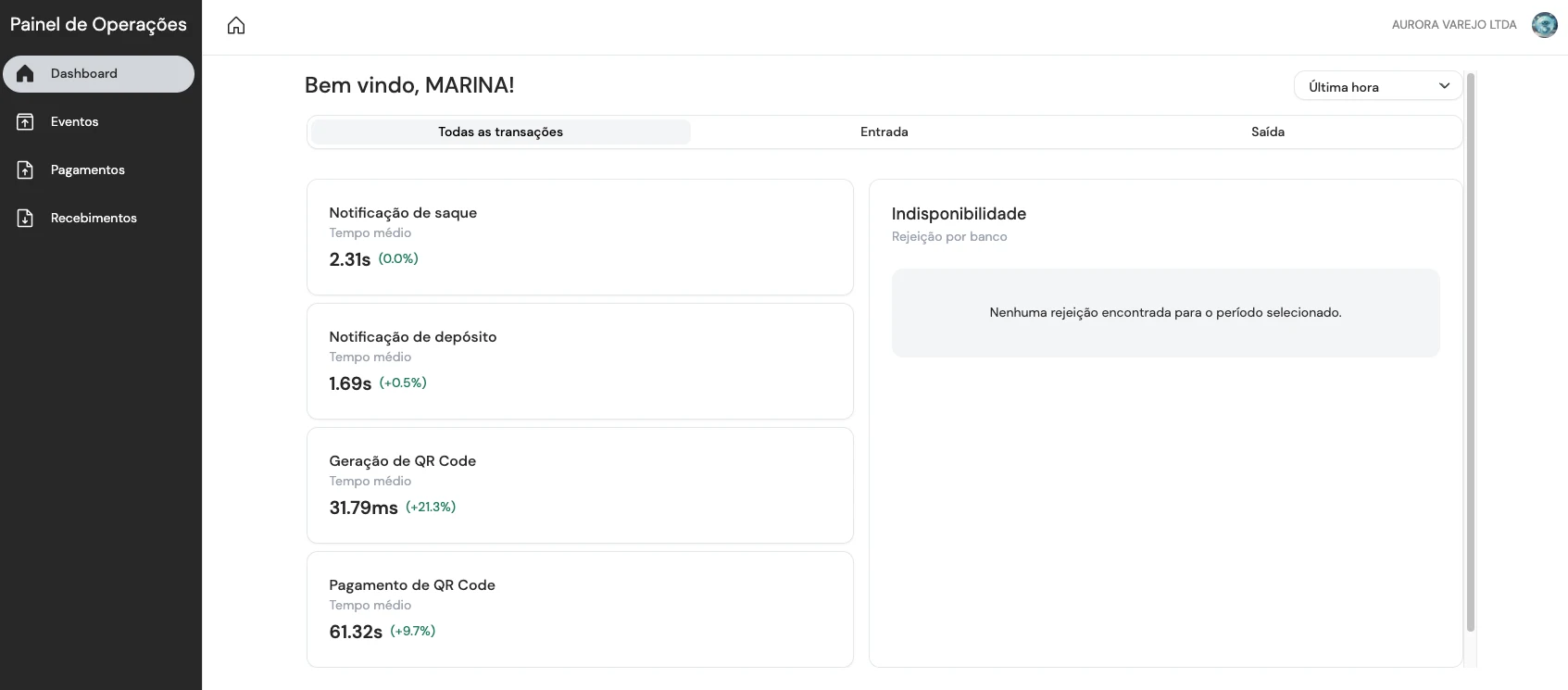
The Dashboard opens with average times for withdrawal and deposit notifications, for QR code generation and payment, and with rejections by bank in the period.
The navigation follows the structure you already know. Payments and Receivables hold the incoming, outgoing and refund documents. Inside Receivables you also find charges, QR codes, recurrences and boletos. And Events lists everything the platform generated, with category, reference ID and status.
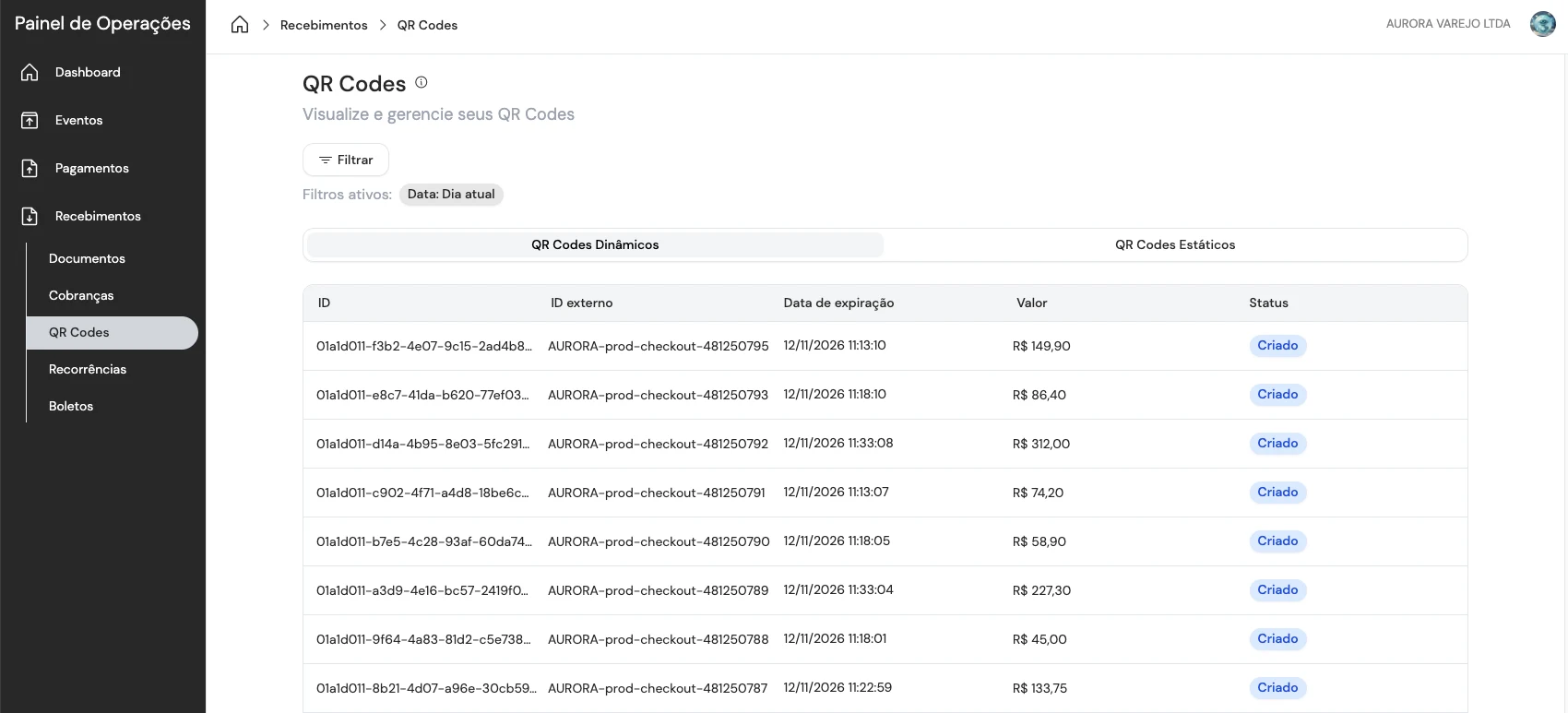
Every listing keeps the active filters in view and the same columns as Internet Banking, including each charge’s external ID.
The detail of each document is what settles most support requests. The amount and the net amount open the screen. Below them come the external ID, the bank account, the payment method and the status. The stages show creation, confirmation and settlement with the date and time of each step. And the information block carries the reconciliation ID, the transaction source, the source reference and the receipt.
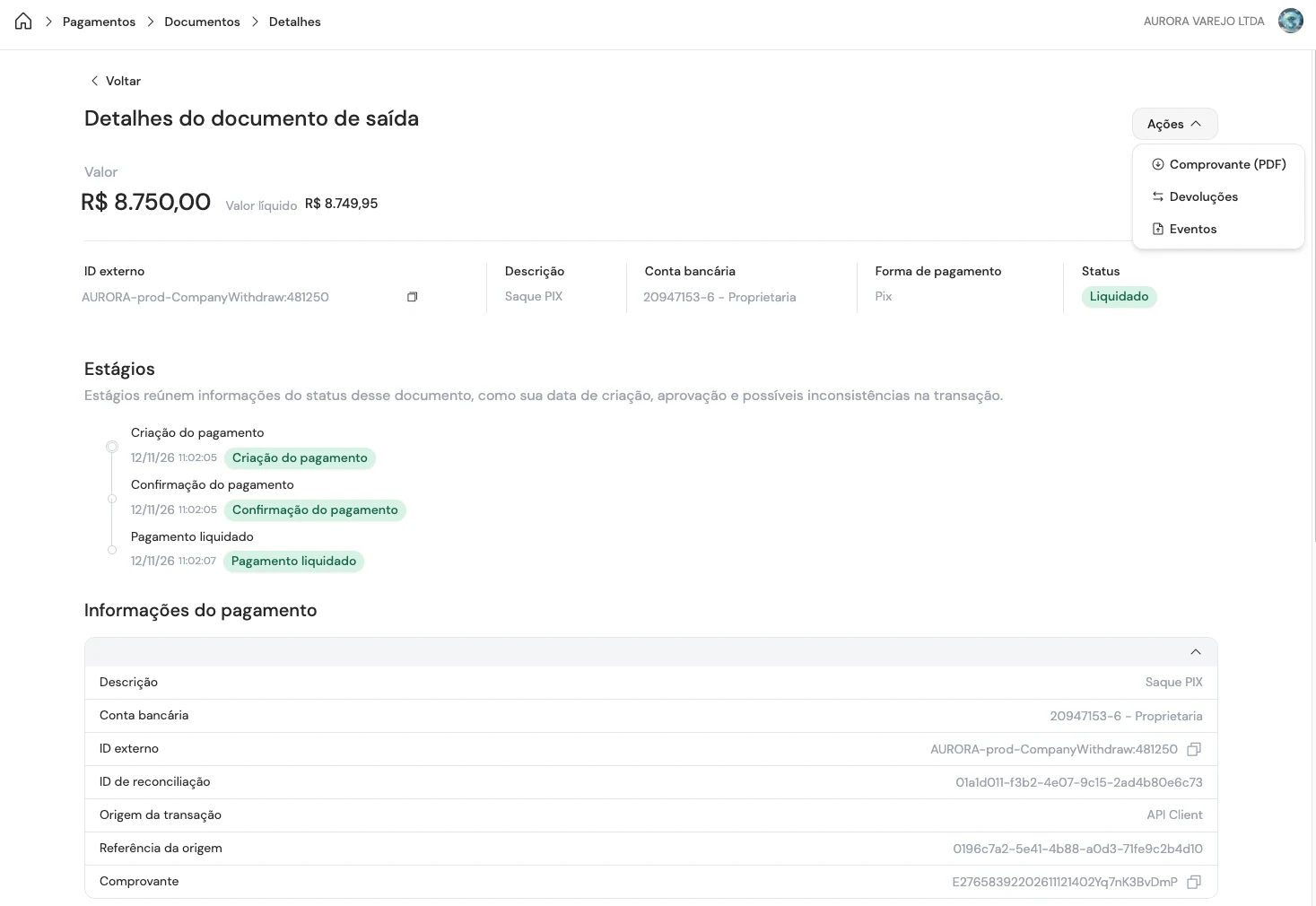
The detail of a transaction: amount, stages with their times, and the identifiers that answer the customer’s question.
The panel is available to every customer. The account administrator invites the people who will use it, and each one signs in with their own login.
2. The v2 API is live, with company onboarding by API
The v2 API is published at docs.trio.com.br/v2. It reorganises resources into clear families, standardises pagination, errors and request identification, and is versioned by header: each call states the version it expects, so your integration does not break when the API evolves.
Version 1 keeps working and stays documented, now as legacy.
The resource that changes most for anyone distributing financial services is Onboard entity. With one call to POST /v2/onboarding, your company registers a customer of yours: company tax number, legal name, annual revenue, average ticket, the legal representatives with their tax number, email and phone, and the consent record with date, time and IP address.
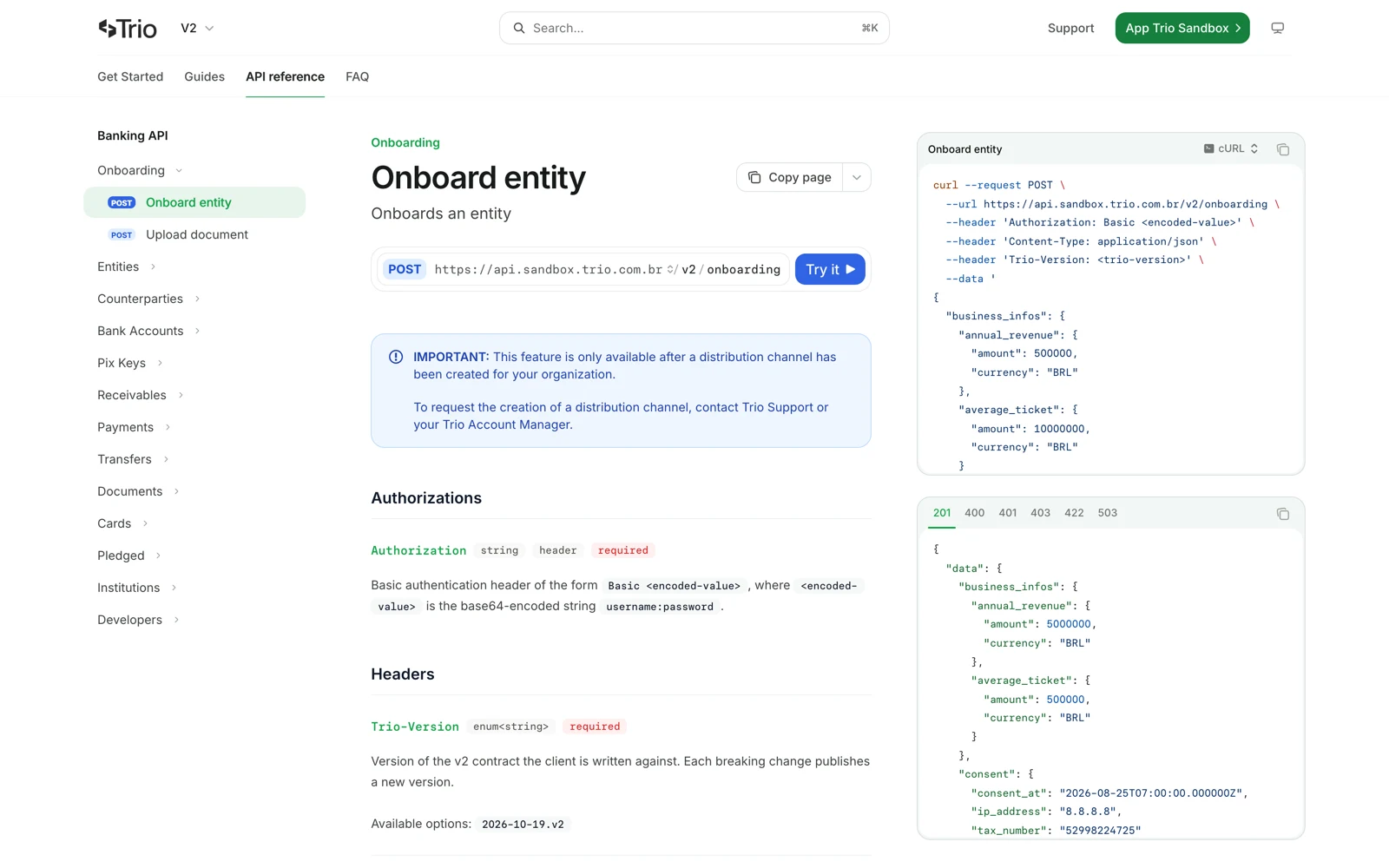
The v2 reference: the onboarding endpoint, the version header each call states, and the response carrying the identifiers of the company that was registered.
The response already returns the entity_id, the customer’s org_id and the list of documents still missing, for the company and for each representative. Documents go up through POST /v2/onboarding/documents, each representative completes a liveness check through a link Trio generates, and the analysis progress arrives by webhook: entity.in_review, entity.approved and entity.rejected.
After approval, your company operates on the customer’s behalf using your own credentials and sending their org_id in the Trio-Target-Org-Id header. The bank account is usually available a few minutes later.
In practice, account opening happens inside your product, through the API, instead of in a separate form.
Beyond onboarding, v2 brings the full Pix Automático cycle, payments with asynchronous execution, search across receivable and payment documents, card management with invoices and line items, external fee charging, advance requests, and webhook registration through the API itself.
One note on Onboard entity and external fee charging: neither is open to every customer. They are routes tied to specific products, and they depend on a distribution channel that Trio creates for your organisation and on a contract of their own for this kind of operation. If it fits your business, talk to us.
We hope you enjoyed the news!
See you next time,
Trio Team